

Real Estate Listing Photo Editor
Listing photos decide whether buyers click. Upload a room or exterior shot from your phone and PiCraft returns a bright, straight, professional-looking listing image.
Choose a simple enhancement, remove clutter, stage an empty room with furniture, or convert a daytime exterior into a warm twilight photo.
- Step 1
Upload a room or exterior
A straight, well-exposed phone photo gives the best result.
- Step 2
Choose the edit
Enhance, declutter, virtual staging or virtual twilight.
- Step 3
Download MLS-ready files
Get a 2048×1536 MLS image and a lighter 1600×1200 web version.
Made with the Real Estate Listing Photo Editor
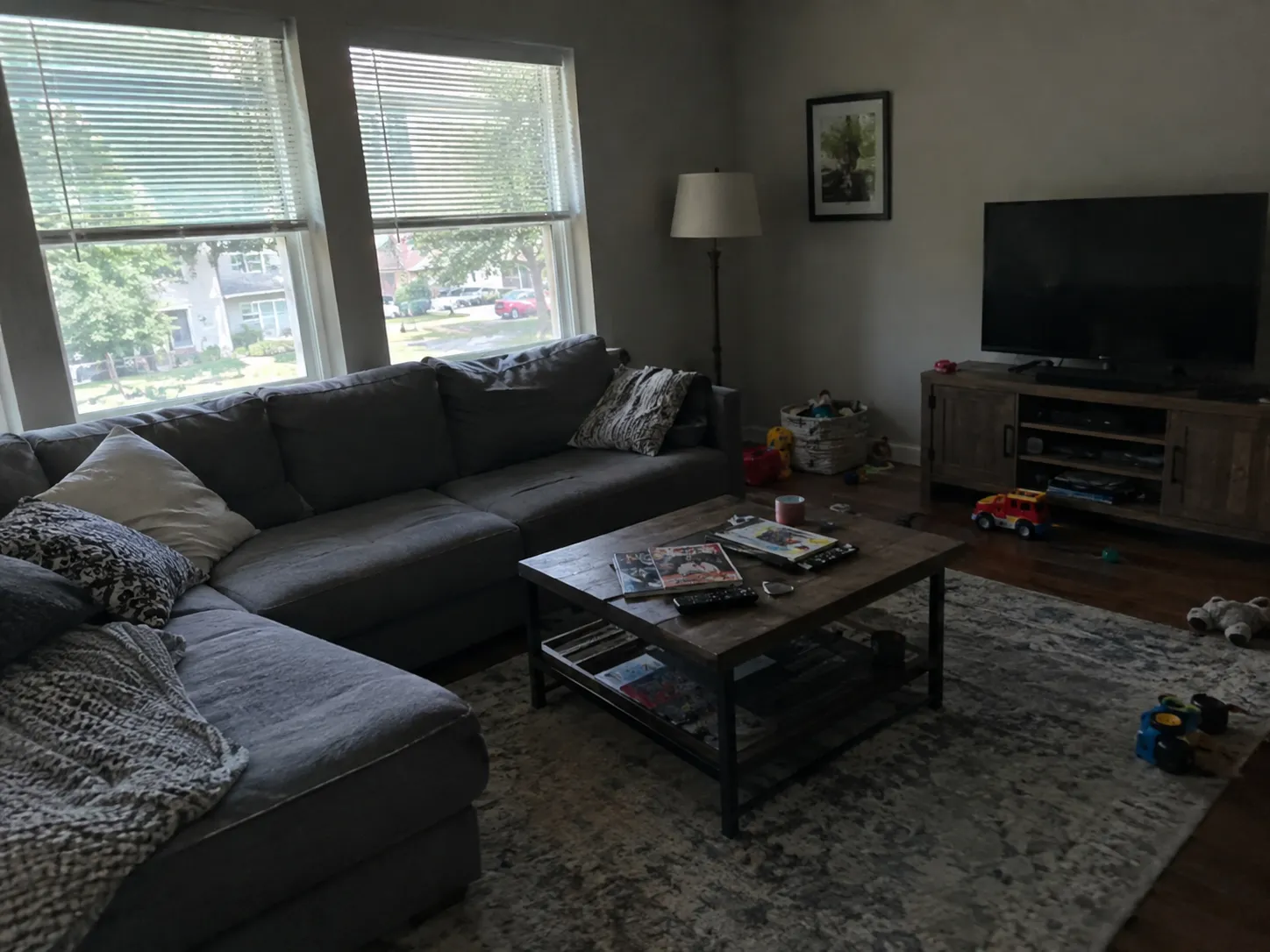
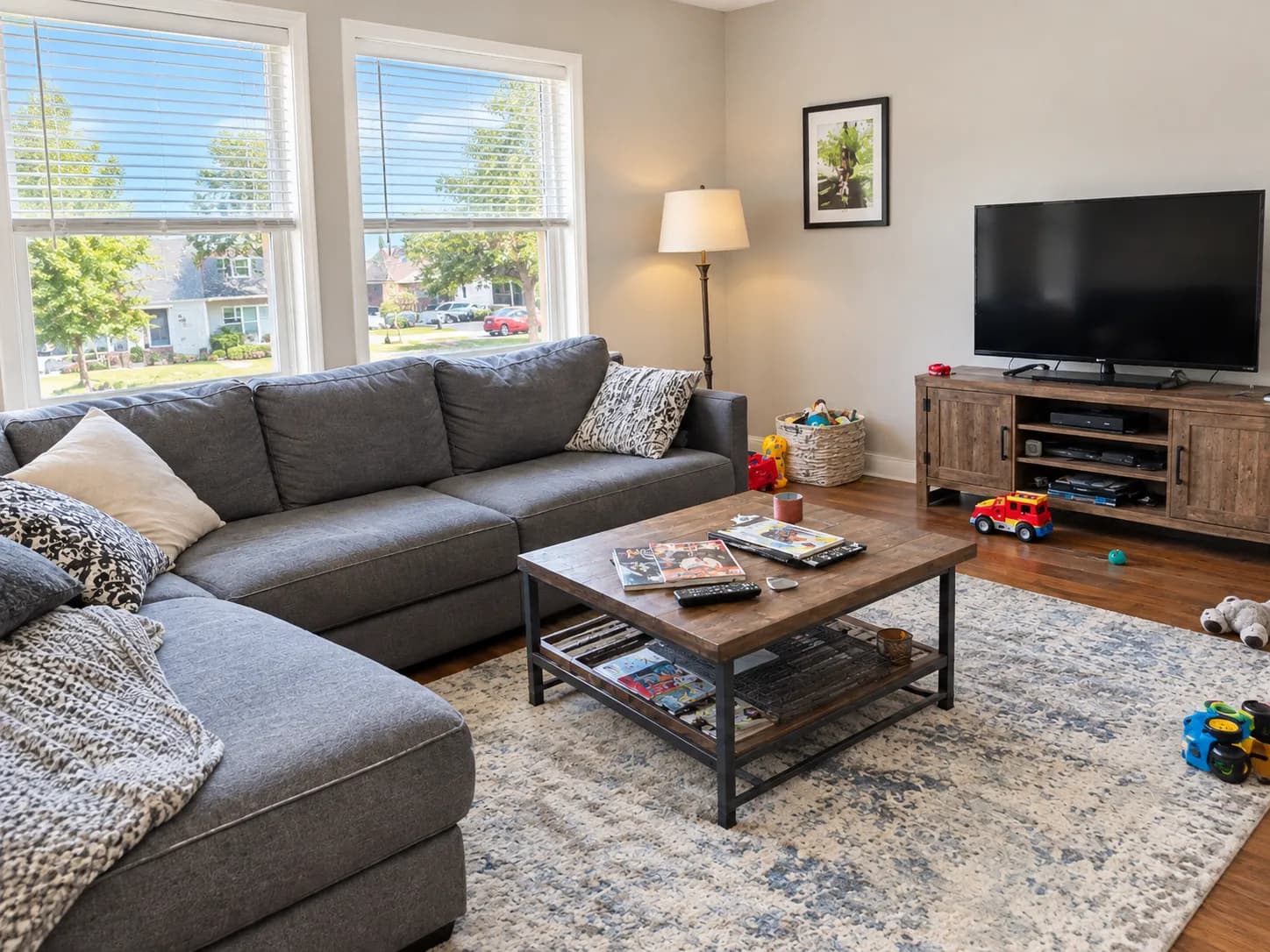
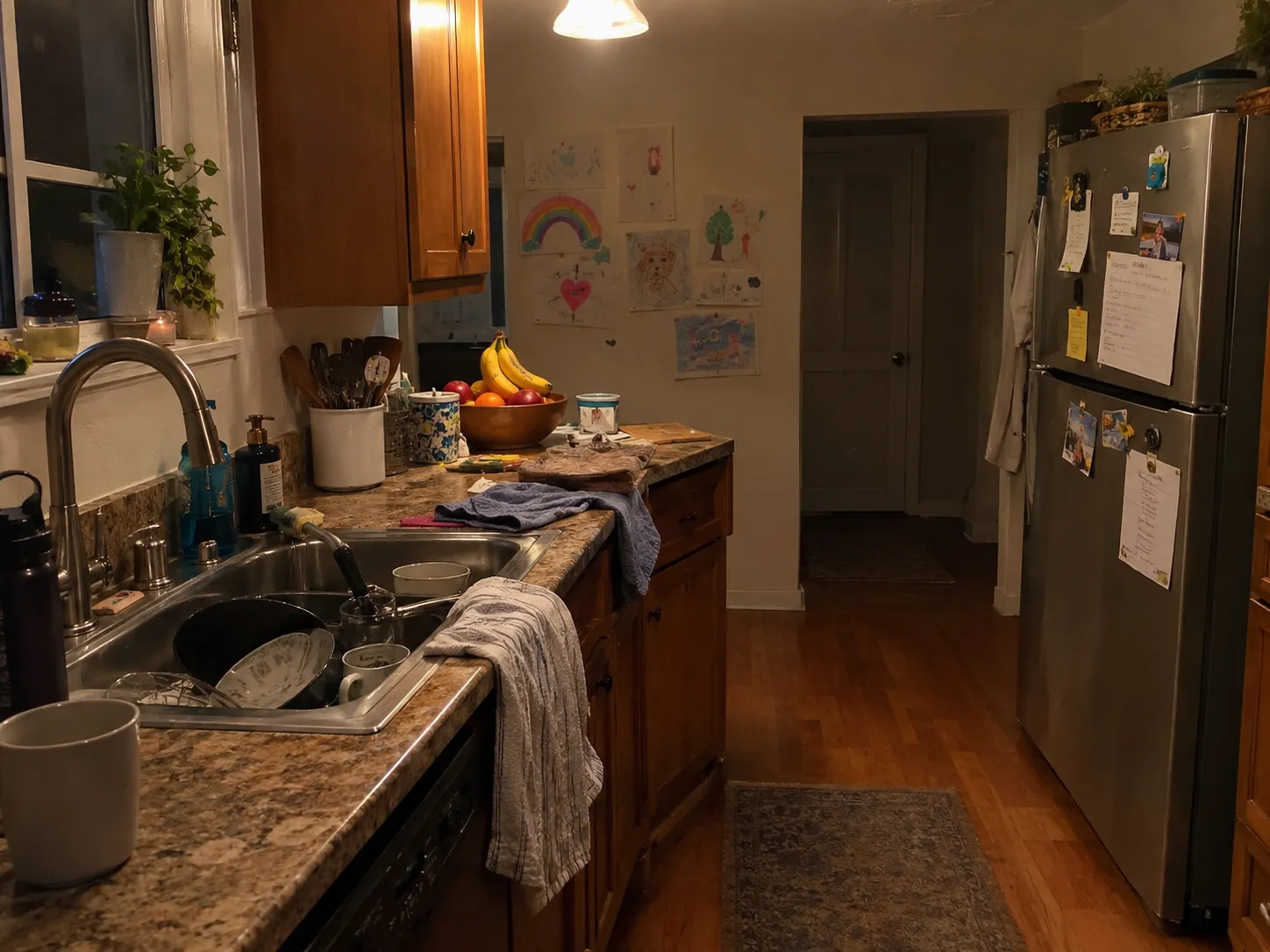
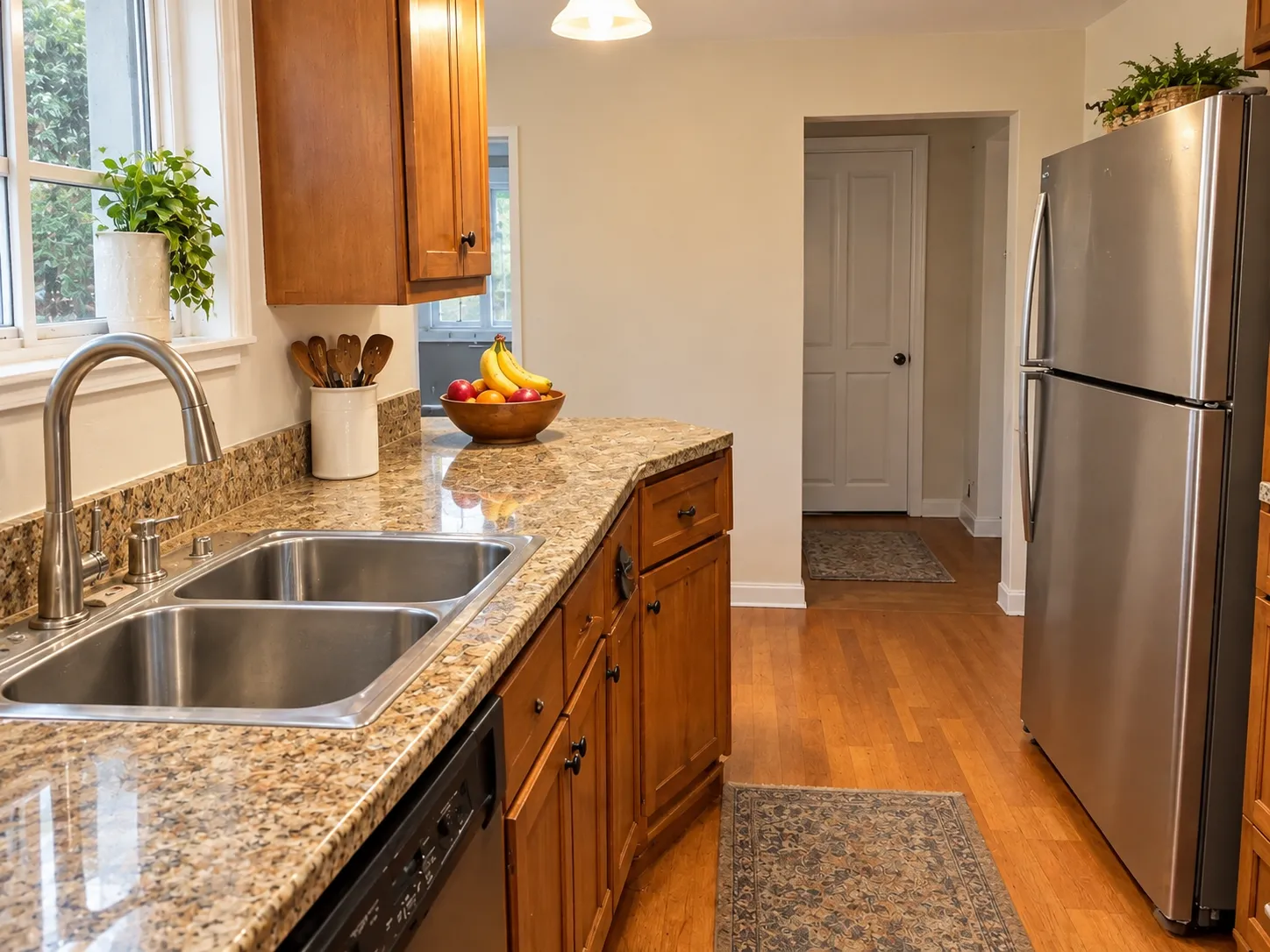
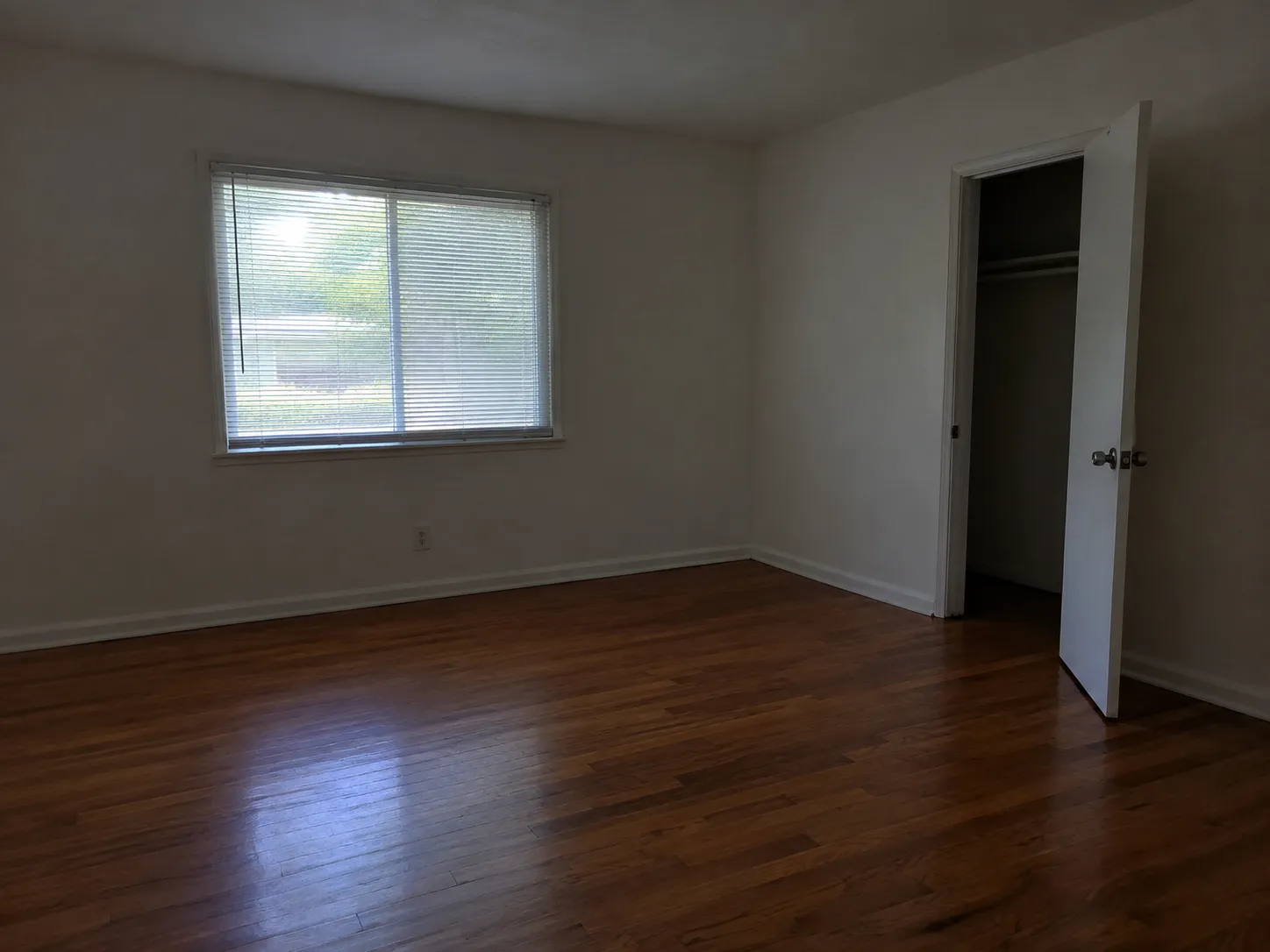
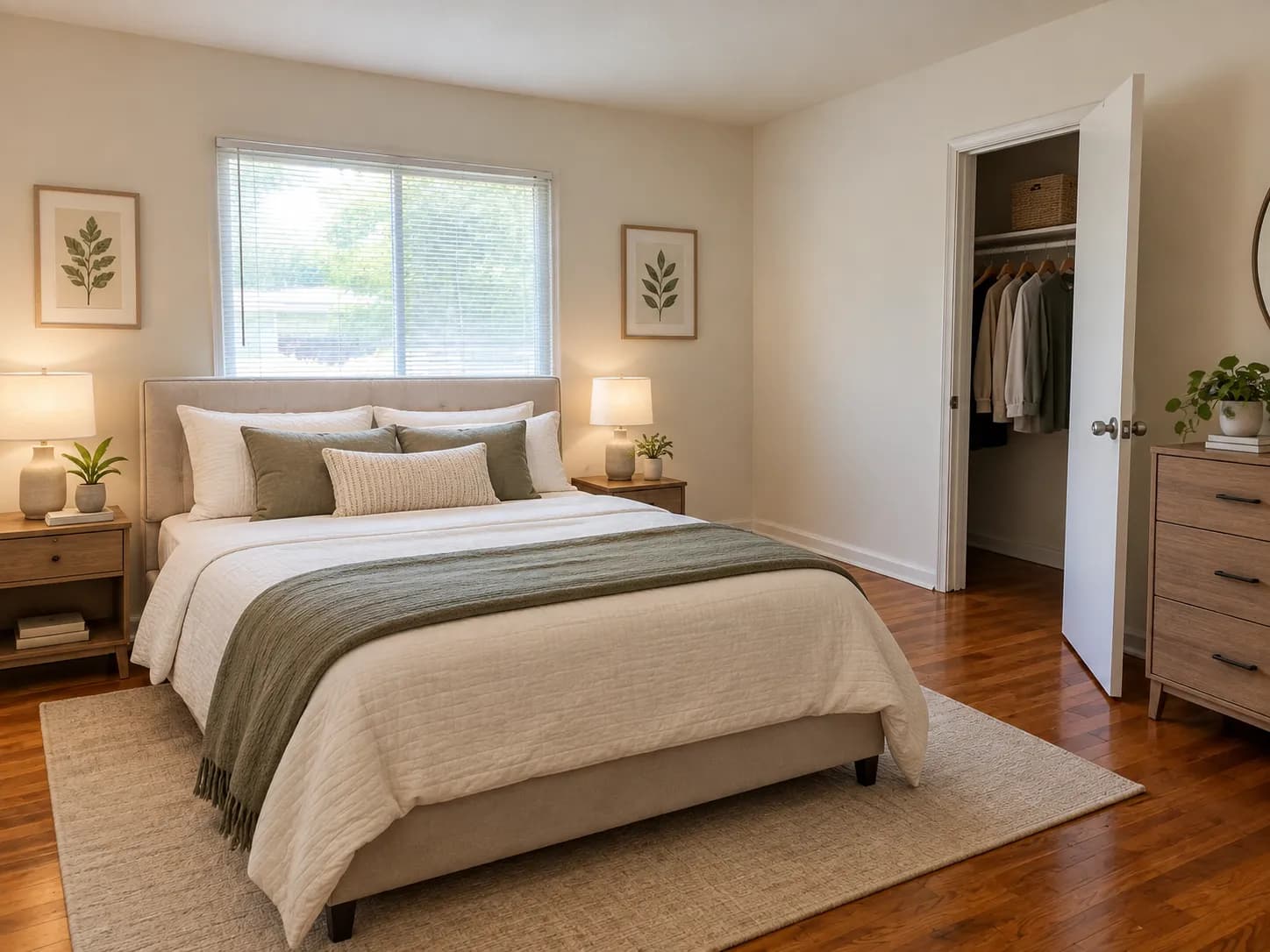
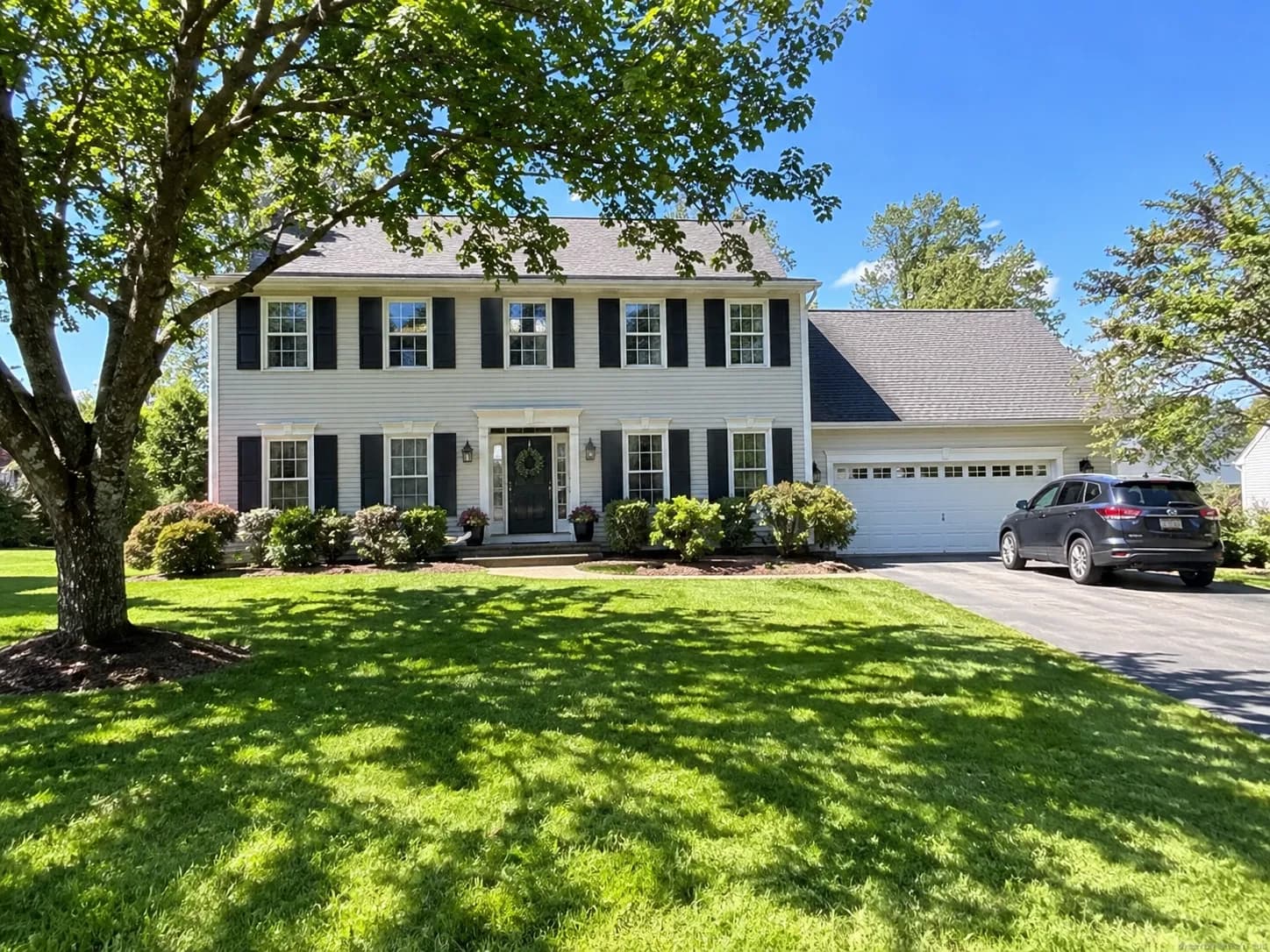
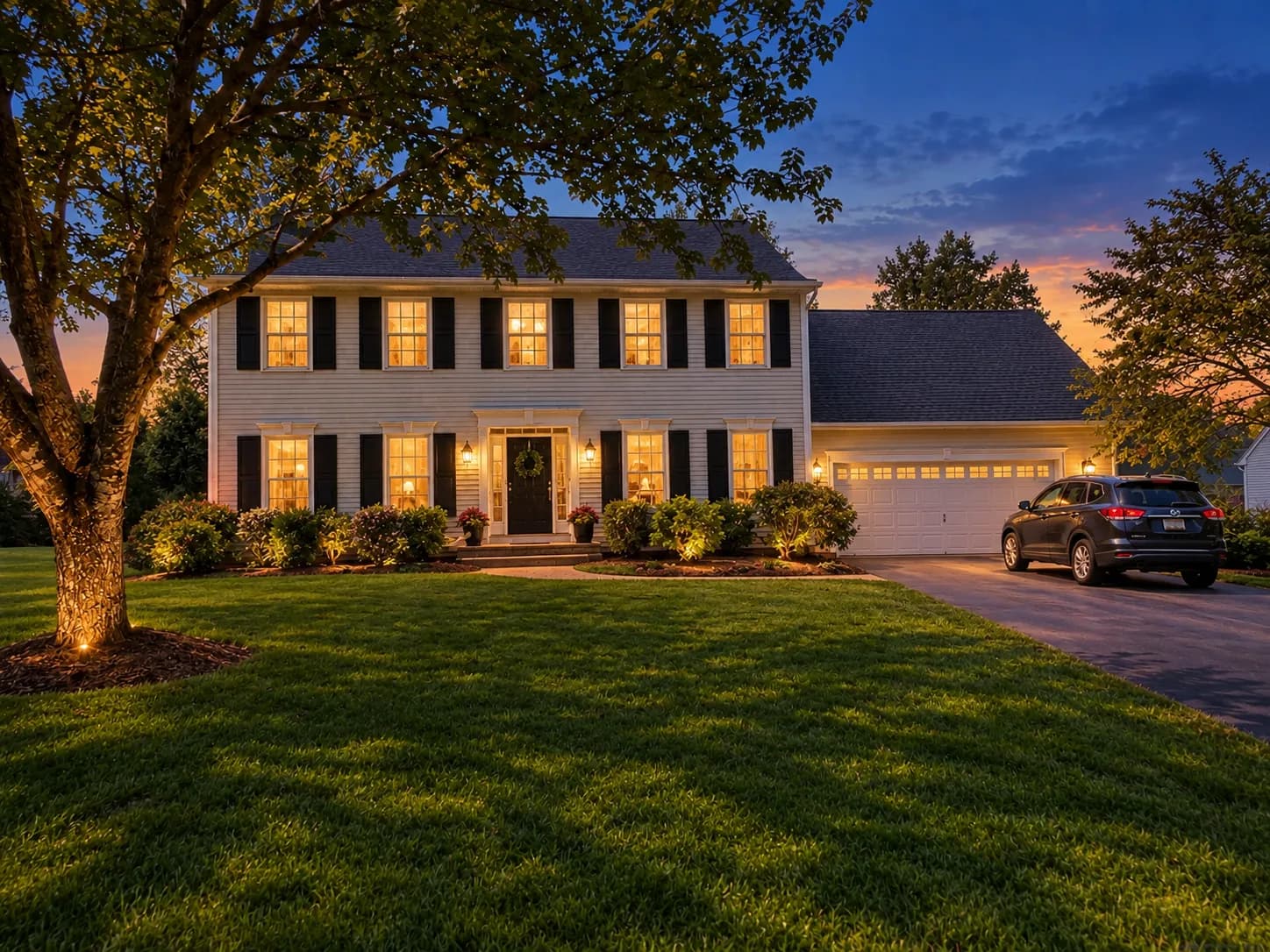
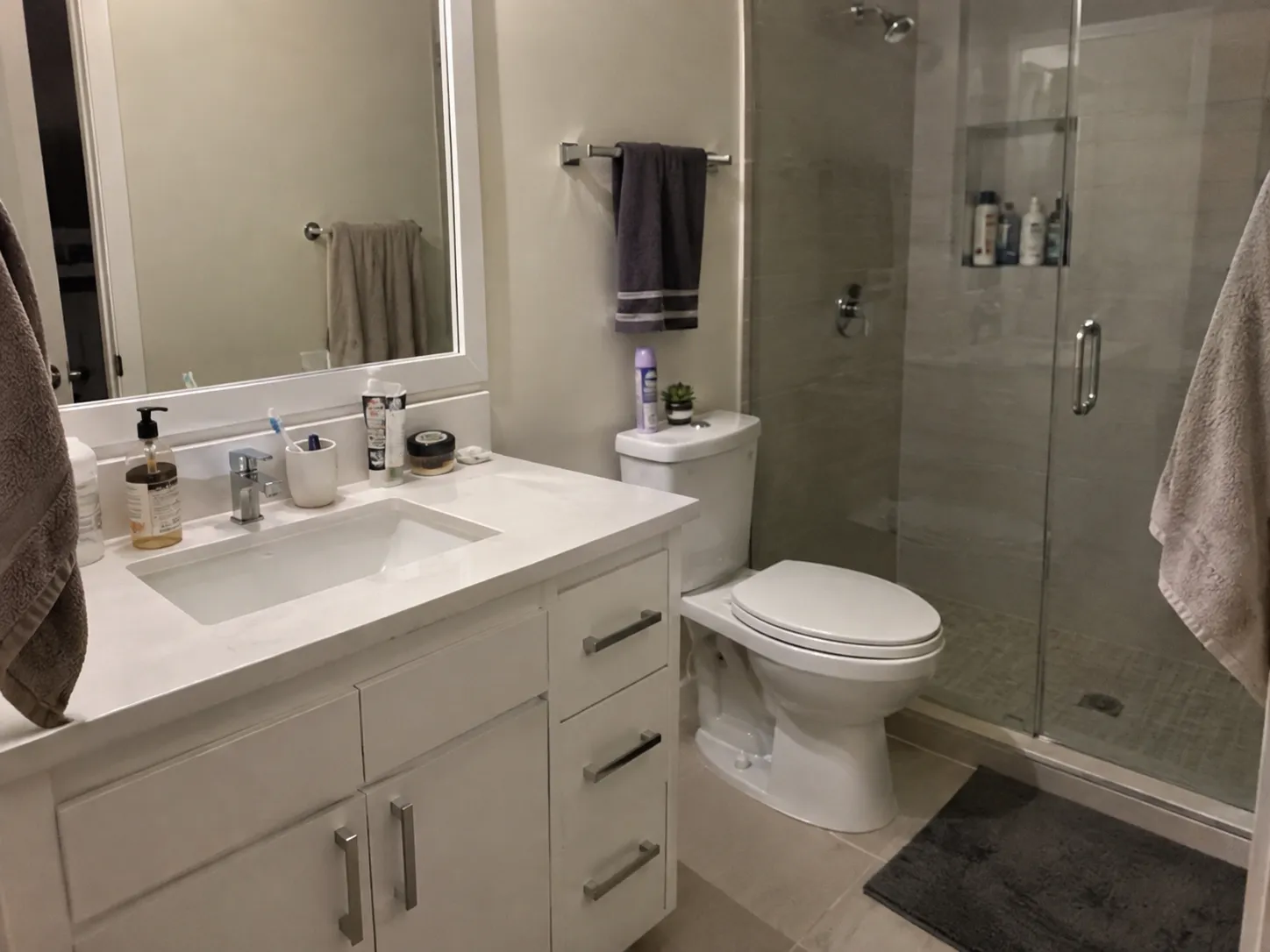
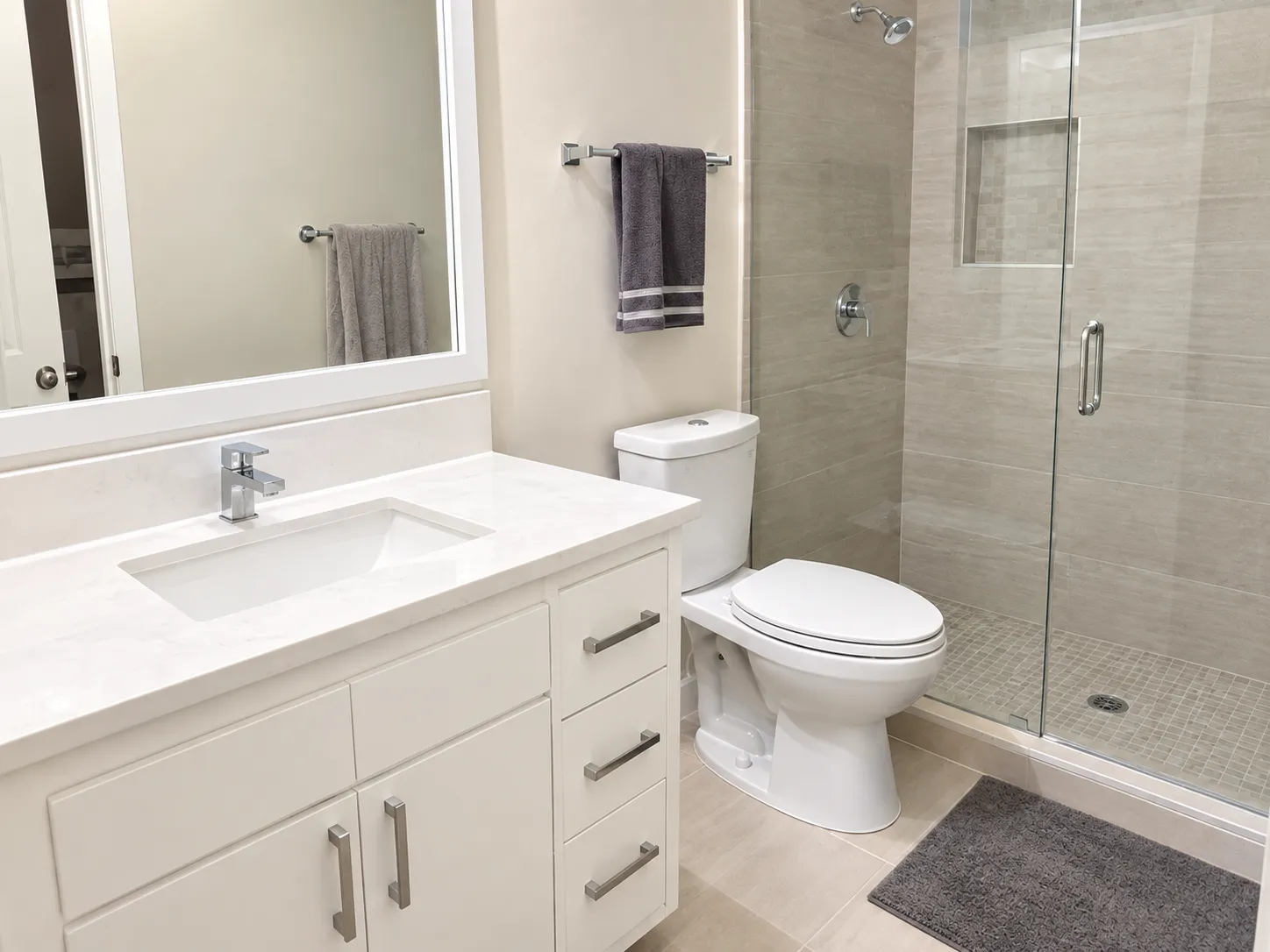
How the Real Estate Listing Photo Editor works
Upload a photo of a room or the front of a property, choose one of four edits and, if you like, add a short direction such as a furniture style. PiCraft returns an edited version in the same 4:3 landscape format that most listing sites expect, with the architecture, windows and floors left as they are.
Enhance brightens and straightens a photo that was taken quickly. Declutter removes loose items such as personal belongings and surface clutter. Virtual staging furnishes an empty room, and virtual twilight turns a daytime exterior into a warm dusk photo.
Edits to listing photos come with responsibilities: most MLS systems and some states require you to label altered images and keep the original. The page below explains what to check before you publish.
What you get with the Real Estate Listing Photo Editor
2048×1536 px MLS image
A landscape 4:3 JPG at a size that suits most MLS systems.
1600×1200 px web version
A lighter JPG kept under 1 MB for your website, social posts and email.
Four kinds of edit
Enhance, declutter, virtual staging and virtual twilight, each applied to your own photo.
Optional style direction
Add a short note, such as "Scandinavian living room, light oak and white", to steer furniture and mood.
Structure kept intact
The model is told to keep walls, windows, floors and the layout as they are, so the image still shows the real property.
Listing photo guidelines
| Item | Recommendation |
|---|---|
| Orientation | Landscape, 4:3 |
| Size | 2048×1536 px suits most MLS systems; 1024×768 px is a common minimum |
| Format | JPG, under the MLS file size limit (often 5–10 MB) |
| Virtual staging | Most MLS rules and many state regulations require you to label staged photos |
- Keep an unedited original of every photo. If you use virtual staging or decluttering, disclose it in the listing as your MLS requires.
- Edits should never hide defects such as damage, stains or cracks.
What people use the Real Estate Listing Photo Editor for
Listings from phone photos
Agents and owners who photograph a home themselves can brighten and straighten the images before posting.
Empty rooms
Show how an unfurnished living room, bedroom or office could be used, with a clear staged label on the listing.
Cluttered rooms
Remove temporary clutter such as toys and counter items so buyers see the space itself.
Exteriors at dusk
Turn a flat daytime shot of the front of the house into a warm evening photo for the lead image.
Rentals and short-term stays
Improve photos for rental listings and vacation rentals where a professional photographer is not worth the cost.
Tips for better results
- 1
Shoot from a corner
Stand in a corner at about chest height so you capture as much of the room as possible with straight vertical lines.
- 2
Turn the lights on and open the blinds
A bright, evenly lit source photo gives the best result. Very dark or blurry photos cannot be saved.
- 3
Hold the camera level
Tilted walls and sloping floors carry through into the result. Use the grid lines on your phone.
- 4
Use one edit per photo
Declutter first, then run the cleaned image through virtual staging if you need both. Mixing goals in one pass gives less predictable results.
- 5
Add a style note for staging
A short direction such as "modern, light wood, neutral colors" keeps the furniture appropriate to the property and the market.
- 6
Compare before and after
Put the two images side by side and check doors, windows, flooring and anything permanent. Nothing structural should change.
- 7
Keep the original
Save the unedited photo with each edited one. Many listing rules ask you to provide it.
Choosing an edit
Each edit solves a different problem. Pick the lightest one that does the job.
- Enhance (bright & straight)
- For well-composed photos that are a bit dark, tilted or dull. The least invasive option.
- Declutter
- Removes loose items and clutter. Use it for lived-in rooms, and never to hide damage.
- Virtual staging
- Adds furniture and décor to an empty room. It must be labeled on the listing.
- Virtual twilight (exterior)
- Converts a daytime exterior into a dusk photo with warm window light. Use it for the lead image of a house.
Before you publish an edited listing photo
- Label every virtually staged or materially altered image the way your MLS requires, in the photo description, on the image or in the remarks.
- Provide the unaltered original alongside the edited image where your MLS asks for it.
- Check that walls, floors, windows, fixtures, views and the surrounding area still match the real property.
- Confirm that nothing has been removed or hidden that a buyer would reasonably want to know about, such as damage, stains or cracks.
- Check your MLS and state rules, because the required wording and placement of the label differ.
- Use virtual staging only on empty or lightly furnished rooms, and say so in the listing text.
- Keep both the original and the edited file in the property record.
What the Real Estate Listing Photo Editor can't do
- The edit must not misrepresent the property. Do not use it to hide defects or to change permanent features such as flooring, walls, windows or views.
- Results depend on the source photo. Dark, blurry or heavily tilted photos give weaker results.
- Virtual staging places furniture in a plausible way, but sizes and layouts are approximate and are not an architectural plan.
- Each photo is a separate generation and uses one credit. The maker does not process a whole property in one pass.
- Rules on labeling edited photos differ by MLS and by state. PiCraft cannot tell you what applies to your listing.
Frequently asked questions
Do I need to disclose virtually staged photos?+
Usually yes. Many MLS systems and some state rules require you to label virtually staged or materially altered images. Check your local MLS rules.
Will it change the walls or layout?+
The model is told to keep architecture, windows and floors unchanged. Review each image before publishing to make sure the property is represented accurately.
What makes a good source photo?+
Shoot from a corner at chest height with lights on and blinds open. Avoid very dark or blurry photos.
Can I edit several rooms?+
Yes. Each photo is a separate generation and uses one credit.
What is the difference between declutter and virtual staging?+
Declutter removes loose items from a furnished room. Virtual staging adds furniture and décor to an empty or sparse room. Both change what the photo shows, so label them wherever your rules require it.
Can I use virtual twilight on any house?+
It works best on a straight-on exterior with a clear view of the front of the house. Check that the result still matches the real property, including the color of the exterior and the surroundings.
What size is the image for the MLS?+
The MLS file is 2048×1536 px (4:3), and the web version is 1600×1200 px under 1 MB. Check your MLS for its own limits on size, number of photos and file weight.
Should I keep the original photo?+
Yes. Many MLS rules ask you to provide the unaltered image next to an edited one, and it protects you if a buyer asks what the room really looks like.
Can it fix a bad photo?+
It can brighten and straighten a decent photo. It cannot rescue a very dark, blurry or badly tilted picture, so retake those.
Can I use it for rentals and vacation homes?+
Yes, the same edits apply. Be honest about anything staged or altered, because misleading photos lead to complaints and poor reviews.
Last updated:
More makers

Amazon Product Photo Maker
Pure-white main images and lifestyle shots sized for Amazon, Etsy and Shopify.

Event Flyer Maker
Posters and flyers for parties, gigs and community events, for print and Instagram.

Business Card Maker
Enter your name and contact details, get a designed business card as a print-ready PDF in US or EU size.